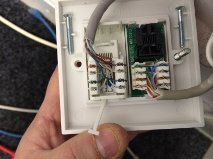
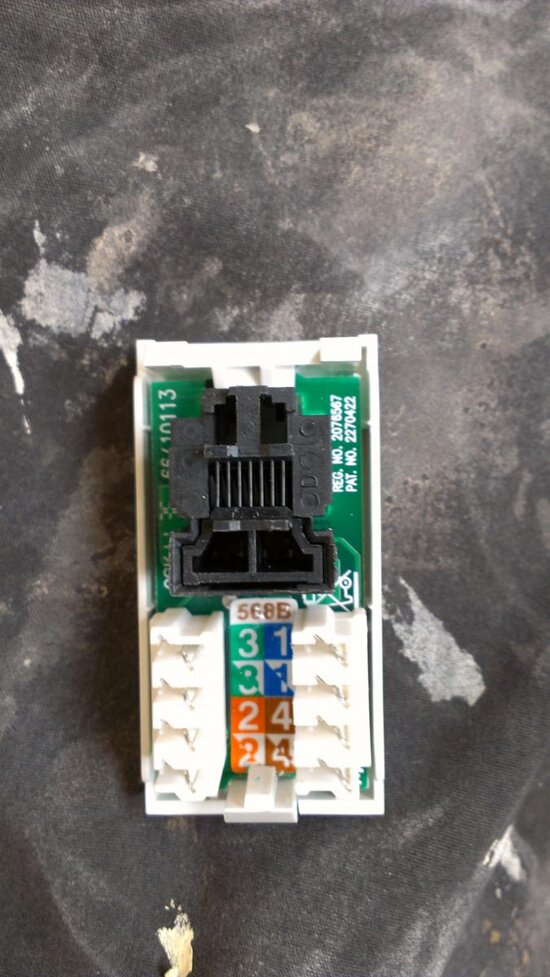
The pic attached, the black module was for telephone & the white for computer. but on one of the connections the phone was attached to the white one if that makes sense.
All of them are just standard Cat5E points, a decent punch down tool is all you will need as the other end will be in the patch panel, also punch down, don't be tempted to extend the points you need to move as this will only end in tears!
Also when you terminate keep your cores as short as possible otherwise you can end up with crosstalk in the cable.
Not quite as I pictured it, not a full structured cabling system but using data cabling for the phone lines at the "user" end.
What's at other end of the cables used for the phones? (in the cabinet)
Is everything on a patch panel or just the data with the telephone cable connected to something else?
What plugs are on the telephone cables? (RJ11 or PSTN)
Is there a PBX? (or just a number of lines)
Are you just moving the points or adding in extra?
As long as the "normal" two wires run all the way though the cabling systems plugs & sockets it should work, but you're better sticking to a "standard" or making sure it's well documented for anyone that comes after you.
I'm assuming the PBX modules have a slightly different plug on the end of them to avoid confusion but as far as OP is concerned the connection methods should be the same for both.
MisterE. I have to move the existing points as they want dado trunking instead of the conduit that is already in. I know the customer personally, so i want to help. I have spoken to a few sparks i know & they have told me to disconnect & label the cable at the module, pull back to the data cabinet & remove. Then install the new one from that point in the panel back to the module.
*At the other end of the phone module there looks like an rj45 connection to a router.
*Data only goes to the patch panel.
*I wouldn't dream of adding new point, i would run the cables & terminate to modules & leave the end at the cabinet to be sorted out by the tech guys.
For the data, if the cable length to the new location and dado trunking is less than the existing cable you could leave the cable connected to the path panel and just pull back and re-route the "loose end". If it's longer you'll need to replace (the standards for CAT5e do allow for one intermediate connection but better to replace to avoid miss match of cable and introducing issues)
You can re-use the existing terminations if they're not damaged, and as Croney says "when you terminate keep your cores as short as possible otherwise you can end up with crosstalk in the cable" - and just to clarify keep the "twists" consistent (N.B. each pair has a different frequency of twist)
The phone cable can be extended (no issues with cross talk for voice and circuit length is a lot longer) so pull back and then re-route and extend as required)