O

Octopus

Ok, after years of reasonable service from another provider I decided to change and have our phone/broadband via BT. Doing this meant changing our family emails. So far so good.

So we use "POP" on the main PC at home and both the misses and I have (Nokia) phones and we want to be able to access/read emails on the PC and/or our mobiles.... and here the problem appears to start. (our old email provider could do this)

What appears to happen is that if an email is sent to me and I see it on my phone then that's OK, if I then access the email on the PC, then go back and look at it on the phone its "gone".

Any ideas how to fix this?

Happy Christmas (still up waiting for the kids to go to sleep!!!!!!!!)
 
Think you want imap rather than pop - it's a way of sharing emails across devices rather then pop which I think extracts the email from the main email 'repository' - in other words it can only exist on one device - or something like that. Imap is more like synchronising different devices so they all see the same data.
Hmm - just checked and I don't think BT Internet can do imap. Gmail can. You could set up a gmail account, pop the btinternet mail to gmail, then imap from gmail. Gmail allows you to send and receive emails using different 'aliases' - for instance I use gmail and can send and receive email as various different identities, from different servers. Then link the gmail account to your phones.


I'm not sure if I should thank you or scream!!!!!!!!!!!!!!!!!!!!!!!!!!!!!!!!!!!!!!!!!
 
Sod that boss, will stick with my cheapo talk talk account for now. When it becomes more of an issue may think of sorting it out.
 
I use yahoo mail and i can get it on PC and phone.

That is set up as pop.

I think you can also say how long you want the email to stay on the server.
 
Jason is correct,

You can leave copies on the server for X amount of days.

it is in tools> Accounts>mail>properties>server, this is for OE on XP

it depends on the e-mail client though, sorry I cannot be more specific
 
Last edited by a moderator:
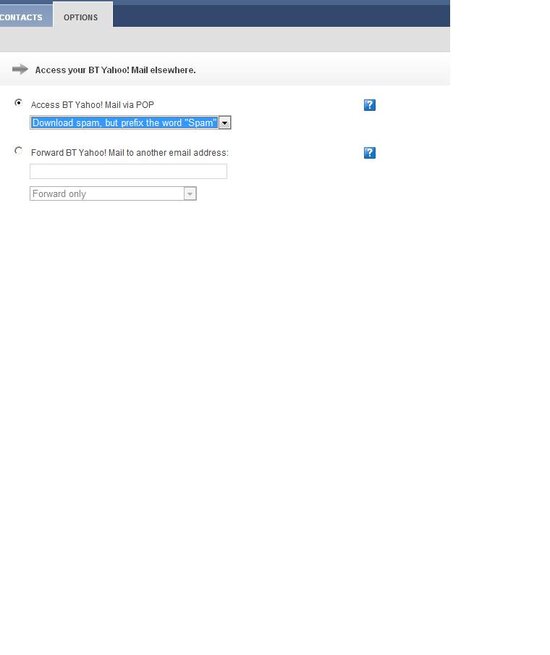
This is all I can seem to find. Any suggestions welcome. Thanks:

BT mail.jpg
 
In Windows 7 / Windows live mail you can set how long the messages stay on the server by
going to Accounts > Properties > Advanced at the bottom of the tab you can set how long you want them to remain on the server

All the E-mail clients I have used have some method of keeping mail on the server for a number of days usually where you set the advanced properties for each account
 
Been playing with the server settings on the home PC and my wifes phone/email seem to work. As yet mine are hit and miss.

Its outlook express, Windows XP and a brace of Nokia phones.

Thanks for the suggestions
 
Sounds like a problem with your phones email programmes, what models are they ?

Not really very helpful but ditch your isp email and switch to gmail a) as it's much better (does imap which is better for mobile devices and pop) and b) you don't have to worry about email addresses etc if you change isp

I'm now of the opinion that my Nokia N8 may be the problem. Using gmail may be a good option!
 
Sounds like your PC email client is downloading it (and removing it from the server), whereas the phone client is not downloading it. Both POP3 and IMAP are cable of doing what you need. Have a dig around in the servers setting for the PC email client (there used to be a setting something like "leave mail on the server" on OE for XP).
 
Sounds like your PC email client is downloading it (and removing it from the server), whereas the phone client is not downloading it. Both POP3 and IMAP are cable of doing what you need. Have a dig around in the servers setting for the PC email client (there used to be a setting something like "leave mail on the server" on OE for XP).

Yup, you are right. I've changed the setting on the outlook express so that the emails stay on the server and it seems better. Quite why it takes my Nokia N8 so long to correctly download too is a mystery - or more likely an undocumented feature of Symbian!
 
Yup, you are right. I've changed the setting on the outlook express so that the emails stay on the server and it seems better. Quite why it takes my Nokia N8 so long to correctly download too is a mystery - or more likely an undocumented feature of Symbian!

I remember from years ago it was best to bypass nokias servers and just use your ISP's one, you had to reject nokias t&cs whilst setting up your mail
 

OFFICIAL SPONSORS

Back
Top