R robroc Jan 6, 2022 #1 Any one know how to get 18th edition templates for the Brother label printer?
Moley ~ Esteemed Arms Supporter Jan 6, 2022 #2 I don't know of any downloadable templates but you should be able to use the P-touch editor to design your own.
I don't know of any downloadable templates but you should be able to use the P-touch editor to design your own.
W WallaceP ~ Arms Jan 6, 2022 #3 What printer are you using. I found them on the app and printed from there.
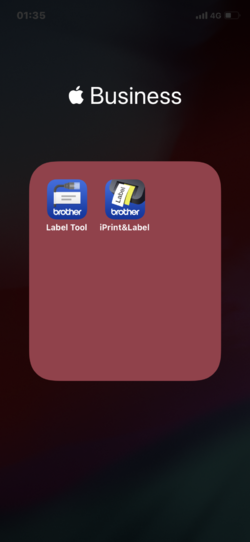
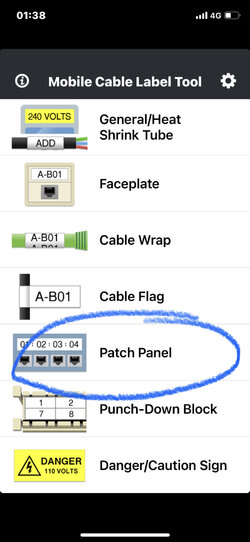
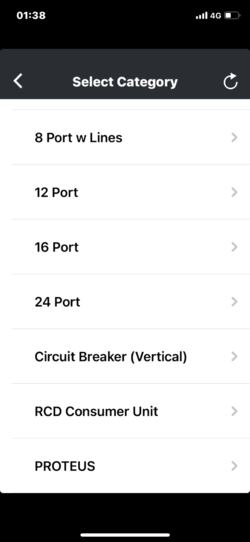
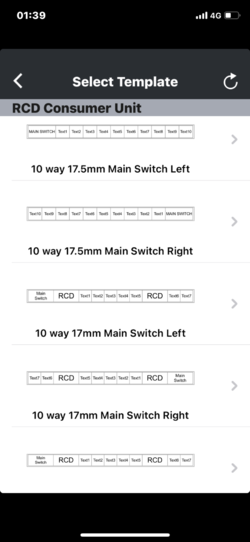
D DrinGONatoR Jan 7, 2022 #4 These are the two I use my labeller is PT-E550 There is functions to make your own legend for a DB/CU (the app on the left) Hope this helps Attachments 153EC261-2D31-4347-9659-31BE0D60BD38.png 899.7 KB · Views: 84 8CC33C58-EDE8-45F1-A8F3-581E8166DF28.jpeg 166 KB · Views: 79 25CCD503-E4FC-4CE9-B1DC-441B4DAC5696.png 135.6 KB · Views: 72 8A85F3DA-66BD-488B-9784-F497FFE1F23C.png 228.9 KB · Views: 74
These are the two I use my labeller is PT-E550 There is functions to make your own legend for a DB/CU (the app on the left) Hope this helps
timhoward ~ Broke Internet Esteemed Arms Jan 7, 2022 #5 There are so many Brother label printers, identifying the model would help. Many sparks have the E550 (which talks to the outside world and has an app) or the E350 (which does the same labels but can only be configured on the printer itself)
There are so many Brother label printers, identifying the model would help. Many sparks have the E550 (which talks to the outside world and has an app) or the E350 (which does the same labels but can only be configured on the printer itself)