R

Rudie

Hi,

I am trying to set up double knock on some zones on my alarm but having a problem. In the manual, it says to press the BELL and then press SKIP and LEDs 1 and 2 should come on - which it doesnt, all i get is a long BEEP.

What am i doing wrong?

Thanks in advance.
 
You need to enter engineer program, then press 6 for attributes, press 1 for double knock, then select zone number. Then reset x 3 to exit program
 
You need to enter engineer program, then press 6 for attributes, press 1 for double knock, then select zone number. Then reset x 3 to exit program

Hi,

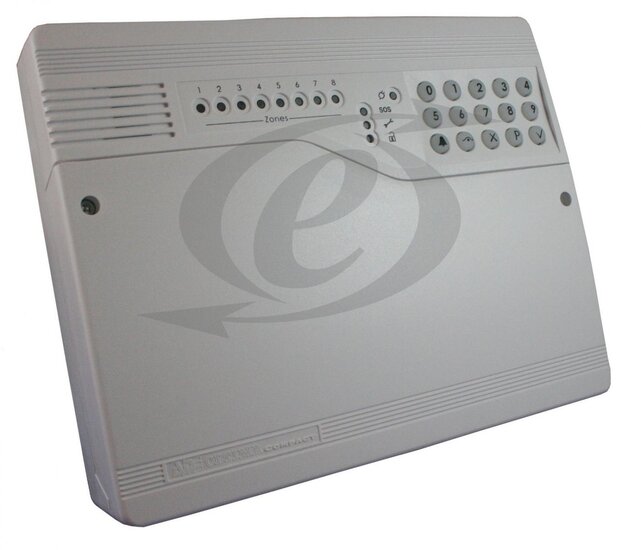
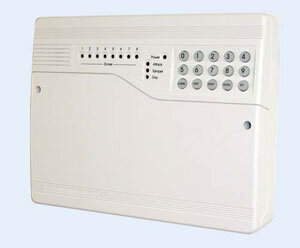
I dont have a reset key only the 'X' key, I have the Optima Compact with built in keypad 8EP396A
 
Rudie all ade have reset buttons, remarketed A1 systems had x are you sure your have accenta and not an Advantage panel.
photo of panel would help
 
optima-compact-gen4.jpg
optima/accenta panel
 
No but i can see were you have gone wrong.
OK enter engineer mode, by pressing P then engineer code or 9999,
Press the eye button,(zones 1/2 lite)
Press 1
Press zone number 1-8
press bell button (zone led will lite)
press X button twice

That manual is a bit missleading
 
Hi, when i press 'P' and then enter thr engineer code, that works. But when i press the eye, i get a long beep and dont get led 1 and 2 lit up...
 
ok that means the incorret engineer code has been entered, or changed. if you dont know the code follow page 17 with link wire, and return the panel back to factory settings, engineer code will be back to 9999
 
ok thanks tazz will try that. i assumed the eng code would be the same as the arm/disarm code.
will check this later today. so the SOS light should come on when i enter the engineer code?
 
the eng. code is totally different from the user code. try 9999. if that doesn't work, do as tazz said.
 

OFFICIAL SPONSORS

Back
Top